What Makes a Garage Door Opener "Smart"
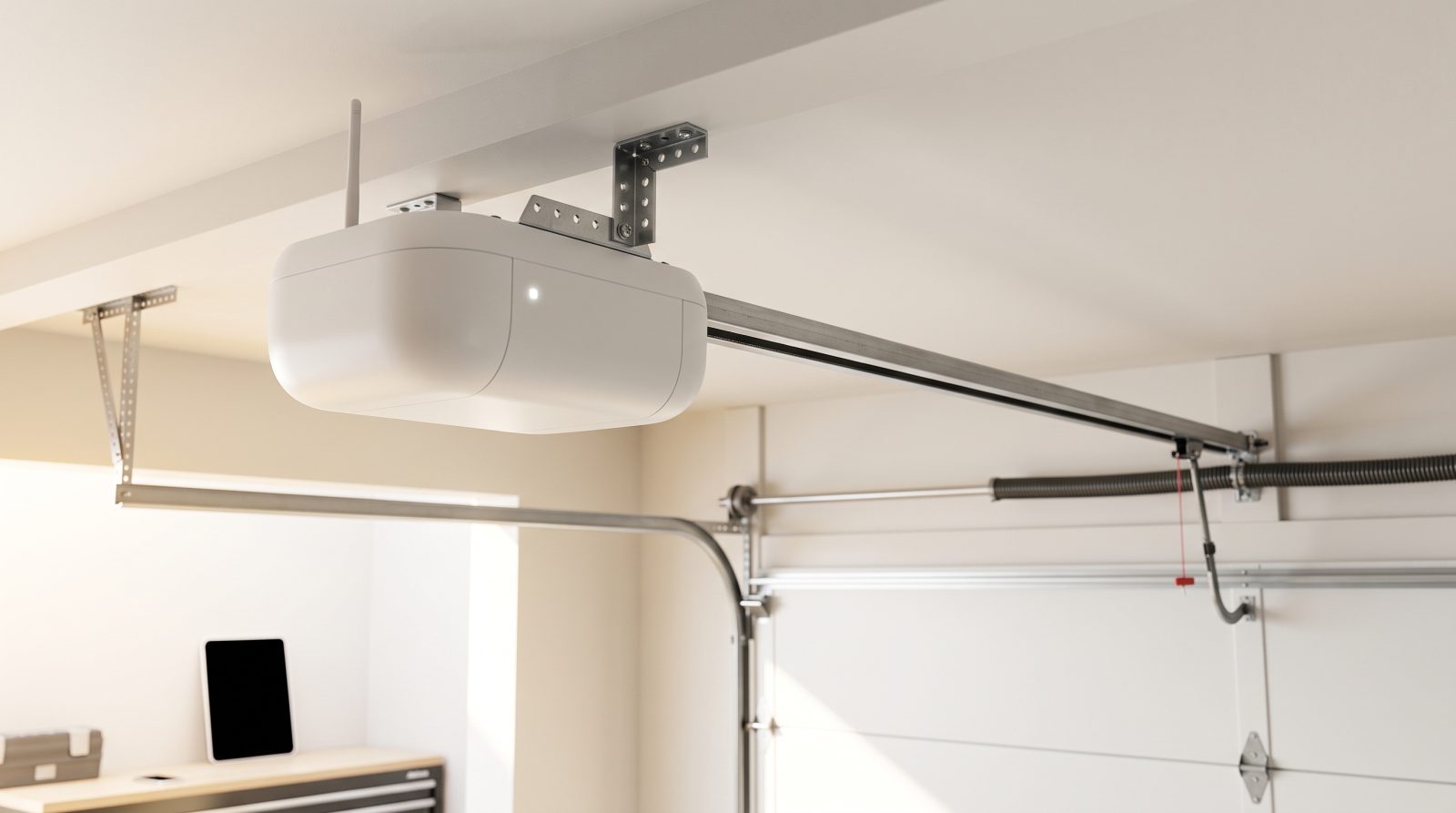
At its core, a garage door opener is a motor that pulls a trolley along a rail to raise and lower the door, triggered by a wall button or a remote. A smart opener adds a small Wi-Fi radio and a controller board that connect that motor to your home network and, through it, to an app on your phone. That single addition is what turns a one-way device you operate from the driveway into a two-way device you can monitor and control from anywhere with a signal.
There are two broad paths to a smart garage. The first is a fully integrated smart opener, where the Wi-Fi and app control are built into the unit from the factory. The second is a retrofit controller, a separate gadget that mounts near your existing opener, wires into its terminals, and watches the door with a tilt or position sensor. Retrofits are popular because they can make a perfectly good older opener app-controllable for a fraction of the cost of full replacement, as long as your opener is compatible.
What you gain is real-time status and remote action. Instead of wondering whether you left the door up, you open the app and see. You can close it from the office, grant a delivery driver a one-time open, or get a push notification the moment the door moves. For many households the alert-when-it-opens feature alone is the reason they upgrade, because an open garage is one of the most common ways a home is left vulnerable.
- Integrated smart opener: Wi-Fi and app control built in, ideal when you are replacing an aging unit anyway.
- Retrofit Wi-Fi controller: adds app control to a compatible existing opener without replacing the motor.
- Door-position sensor: tells the app whether the door is genuinely open or closed, not just whether a command was sent.
- Real-time alerts: push notifications when the door opens, closes, or is left open past a set time.
App, Voice, and Smart-Home Control: How It Actually Works
When you tap "close" in the app, the command travels over the internet to the manufacturer's servers, then down to the controller in your garage, which tells the motor to run. A position sensor confirms the door reached the bottom and reports back, so the app shows a trustworthy status rather than just assuming the command worked. This round trip usually takes a second or two on a healthy connection, which is why a stable Wi-Fi signal reaching the garage matters as much as the opener itself.
Voice control works through assistants like Amazon Alexa and Google Assistant, and many openers also tie into Apple Home, Samsung SmartThings, and similar platforms. For safety reasons, most systems let you open the door by voice only after a spoken PIN, and some restrict voice opening entirely while allowing voice closing freely, since closing a door is far lower risk than opening one. That asymmetry is intentional and worth understanding before you assume a feature is broken.
Connectivity is the single biggest real-world variable. Garages are often at the edge of a home's Wi-Fi coverage, separated by exterior walls, and built with materials that weaken the signal. Most consumer openers connect on the 2.4 GHz band specifically because it reaches farther than 5 GHz, but a weak or congested signal still causes the most common complaint with smart openers: the door works fine in person but the app shows it offline. A mesh node, an access point, or a range extender placed near the garage usually solves this when the opener hardware is otherwise fine.
- Most smart openers use the 2.4 GHz Wi-Fi band for range; confirm your router broadcasts it.
- Voice opening typically requires a spoken PIN; voice closing is usually allowed without one.
- App status depends on the cloud connection, so an "offline" door is often a network issue, not a broken opener.
- Geofencing can prompt you to close the door automatically when your phone leaves home.
Choosing the Right Smart Opener for Your Home
Start with drive type, because it sets the noise level and the maintenance rhythm. Chain-drive openers are the most affordable and very durable but noisier, which matters if a bedroom sits above or beside the garage. Belt-drive openers run noticeably quieter and are the popular choice for attached garages with living space nearby. Screw-drive and direct-drive (jackshaft) designs each have a place, with wall-mounted jackshaft units freeing up ceiling space and pairing well with high or specialty doors.
Match the motor's horsepower-equivalent rating to your door. A standard single-car steel door is light work for an entry-level unit, while a heavy two-car door, a solid-wood door, or an insulated carriage-style door benefits from a stronger motor that will not strain on every cycle. Climate plays a quiet role here too: in very cold regions, springs and lubricants stiffen in winter and the opener has to work harder, so erring toward a stronger unit can extend its life. In hot, humid, or coastal areas, look for corrosion-resistant hardware and remember that heat and salt air are tougher on every moving part.
Then weigh the smart features against how you will actually use them. Battery backup is genuinely valuable anywhere power outages are common, including storm-prone and hurricane-exposed regions, because it lets you get the car out when the grid is down. Built-in cameras, LED work lights, and integrated keypads are nice-to-haves that vary by model. If you already like your current opener and it is only a few years old, a retrofit controller is often the smarter spend, provided you verify compatibility first.
- Belt-drive for quiet operation near living space; chain-drive for budget-friendly durability.
- Jackshaft (wall-mounted) openers suit high ceilings, specialty doors, and tight headroom.
- Choose a stronger motor for heavy, wooden, or well-insulated doors, and in very cold climates.
- Prioritize battery backup in outage-prone and storm regions so the door still opens without power.
- Confirm retrofit compatibility before buying an add-on controller for an older opener.
Security and Privacy: Keeping a Connected Garage Safe
A garage door is a large entry point to your home, so connecting it to the internet deserves the same care as any other smart-home device. The good news is that modern openers use rolling-code technology, which generates a new code every time a remote is pressed so a captured signal cannot simply be replayed. The risks that remain are mostly account-level and network-level, and they are well within a homeowner's control.
Protect the app account the way you would protect online banking. Use a strong, unique password, turn on two-factor authentication if the manufacturer offers it, and be deliberate about who you share access with. Many systems support guest or temporary access, which is far safer than handing out your main login to a house cleaner, dog walker, or relative. Review the list of authorized users and paired remotes periodically and remove anyone who no longer needs in.
On the network side, keep the opener's firmware updated, since updates frequently patch security issues, and keep your router firmware current too. Some households put smart-home devices on a separate guest network to isolate them from phones and computers, which is a sensible extra layer. Finally, do not let convenience features override good judgment: think carefully before enabling fully automatic opening based on location alone, and make sure any voice-open feature is protected by a PIN.
- Rolling codes prevent simple replay attacks, but the app account still needs strong protection.
- Use a unique password and enable two-factor authentication on the opener app.
- Grant guest or temporary access instead of sharing your primary login.
- Keep opener and router firmware updated, and consider a separate network for smart devices.
- Audit authorized users and paired remotes from time to time, removing any you no longer recognize.
Troubleshooting and When to Call a Local Pro
Many smart-opener headaches are connectivity, not mechanics. If the app reports the door offline while the wall button still works, the door itself is usually fine and the fix is on the network: confirm the router is up, check that the 2.4 GHz band is enabled, restart the opener and router, and re-run the app's setup if the credentials changed. If the signal is simply too weak in the garage, improving Wi-Fi coverage out there resolves the issue more reliably than anything in the app.
Mechanical symptoms are a different story and tend to share the same handful of culprits regardless of where you live: a broken spring, a worn or frayed cable, a door that has come off its track, or an opener motor that hums but will not move the door. These are the most common garage door failures, and several of them are genuinely dangerous to work on. Torsion springs in particular store enormous force and can injure someone who tries to adjust or replace them without the right tools and training. A loud bang from the garage followed by a door that will not lift is a classic sign of a snapped spring, and it is a stop-and-call moment, not a DIY one.
A reasonable rule of thumb: if the problem is software, settings, or signal, it is fair game to troubleshoot yourself. If the problem is a physical part under tension, a door off its track, grinding or scraping, or anything that makes the door move unevenly, bring in a qualified local technician. Costs for repairs vary widely by the specific part, door type, materials, and your region, so treat any figure you see online as a typical industry estimate rather than a quote, and ask for the price up front. Wherever you are, a local pro can usually diagnose the issue quickly and often handle it the same day, and that is exactly what this resource exists to help you find. If you are not sure whether your issue is a quick fix or a real repair, describe the symptoms and request a free quote before anything is touched.
- App offline but door works: almost always a Wi-Fi or account issue, not a mechanical failure.
- First steps: restart the opener and router, confirm 2.4 GHz is on, and re-run app setup.
- Stop and call a pro for broken springs, frayed cables, off-track doors, or grinding noises.
- Never attempt to adjust or replace torsion springs yourself; the stored tension can cause serious injury.
- Treat any repair price you see online as a typical estimate that varies by part, door, and region.