How Garage Door Remotes and Keypads Actually Work
Your handheld remote, your car's built-in button, and the lighted keypad bolted outside your garage all do the same basic job: they send a wireless signal to the radio receiver inside your opener motor, telling it to run. Understanding that chain, control to signal to receiver to motor, is the key to figuring out where a failure is happening. If only one control stops working but others still operate the door, the problem is almost always in that single control. If nothing wireless works but the wall button inside the garage still raises the door, the issue points to the opener's receiver or antenna rather than the remotes.
Most openers made in the last few decades use rolling-code (also called rolling-frequency) technology, which changes the access code every time you press the button. This is a security feature that prevents code theft, but it's also why remotes and keypads occasionally need to be re-synced to the opener. Older units use a fixed code set by small dip switches inside the remote and the motor head. Knowing which generation you have matters, because the fix and the reprogramming steps differ completely between the two.
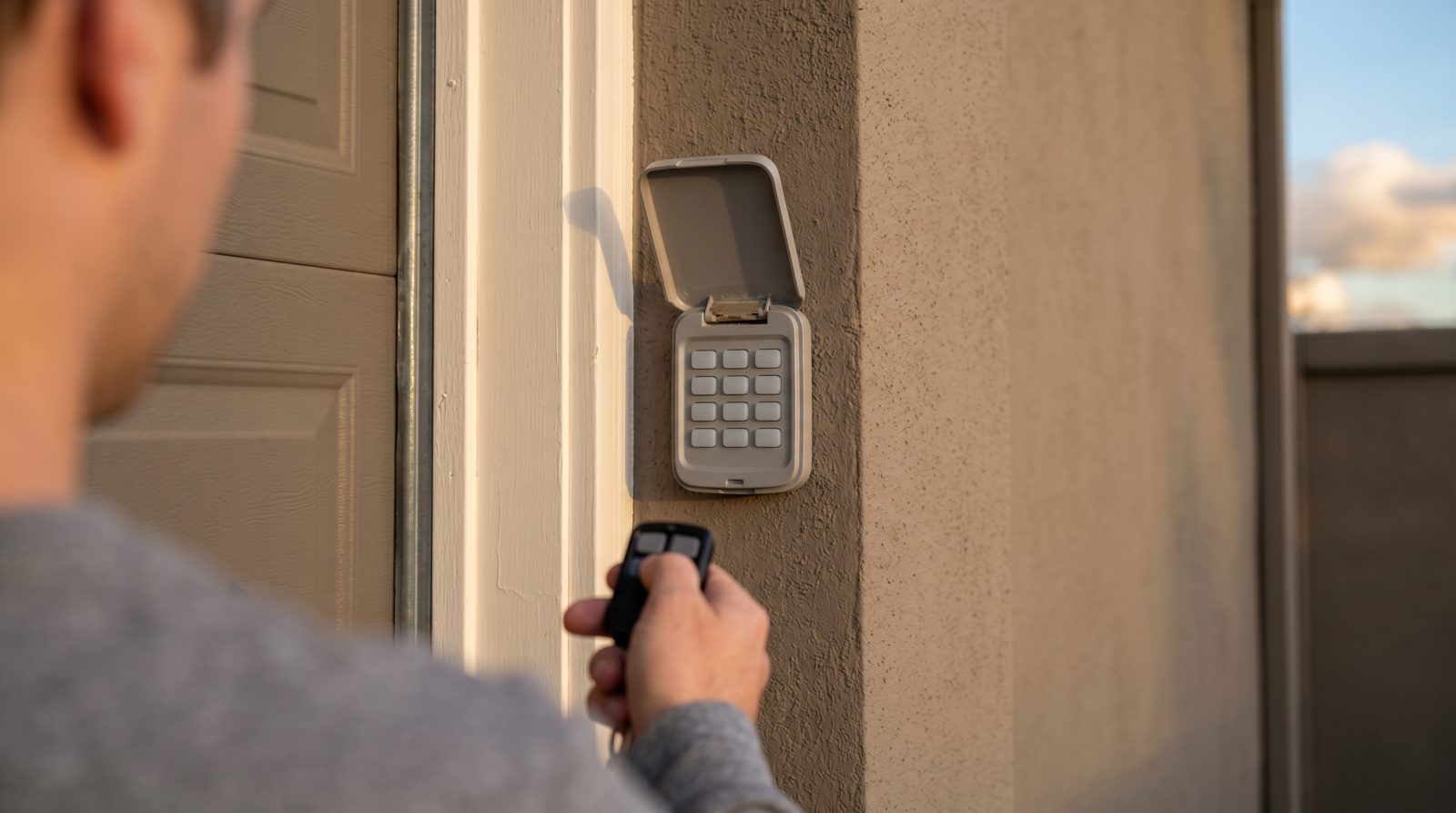
Keypads are simply remotes with a keypad and a PIN. You enter your chosen code, the keypad transmits the matching signal, and the door opens. Because keypads live outdoors, they take more abuse from sun, cold, rain, and humidity than a remote that rides in your car, which is why their buttons, batteries, and circuit boards tend to wear out a little sooner.
- Remote or car button: portable transmitter, usually one button per door
- Wall keypad: outdoor PIN-entry transmitter, exposed to weather year-round
- Receiver and antenna: built into the opener motor head, picks up the signal
- Rolling-code vs. fixed-code: determines how you reprogram and pair devices
The Most Common Reasons a Remote or Keypad Stops Working
Before assuming anything is broken, it helps to know how often the culprit is something minor. A dead or weak battery is by far the leading cause of an unresponsive remote or keypad. A fading battery often produces telltale symptoms first: the door only responds when you stand very close, the keypad backlight is dim or flickers, or the remote works intermittently. Swapping in a fresh battery is the single most worthwhile thing to try before anything else.
Lost programming is the next most common issue. A power surge, a lightning storm, a brief outage, or even replacing the opener's backup battery can wipe or scramble the pairing between your controls and the motor. In these cases the hardware is fine; the devices simply need to be reprogrammed to talk to each other again. Radio interference is another frequent, and often overlooked, cause. LED bulbs in or near the opener, nearby electronics, or even a neighbor's equipment can flood the same frequency band and shorten your remote's range or block it entirely.
Then there's genuine hardware failure. Keypads suffer cracked housings, water intrusion, worn or stuck buttons, and corroded contacts from years of weather exposure, this is where regional climate matters. In humid coastal and Gulf regions, moisture and salt air corrode keypad contacts faster; in northern and mountain climates, deep cold can sap batteries and make plastic buttons brittle; in hot, sun-baked Southwest areas, UV exposure degrades keypad faceplates and weakens internal components over time. Finally, the opener's onboard receiver or antenna can fail or degrade, which is the likely answer when several remotes and the keypad all quit at once but the hardwired wall button still works.
- Dead or weak battery (most common, and the easiest to rule out)
- Lost or scrambled programming after a power surge, storm, or outage
- Radio interference, frequently from LED bulbs near the opener
- Worn, cracked, or water-damaged keypad from weather exposure
- A failing receiver or antenna inside the opener motor head
- Range loss from a weak battery or a poorly positioned antenna wire
What You Can Safely Try Yourself First
Several of these fixes are genuinely safe for a homeowner and can save you a service call. Start with the battery: most remotes pop open to reveal a small coin-cell (often a CR2032) or AAA cells, and many keypads use a 9-volt or coin-cell battery behind the cover. Replace it even if you're not sure it's dead, since batteries are cheap and weak ones cause confusing, intermittent behavior. While the cover is off, look for green corrosion or moisture on the contacts and wipe it clean.
If a fresh battery doesn't do it, reprogramming is your next safe step. Nearly every opener has a learn or program button on the motor head, often under a light cover or behind a panel. The general process is to press that button until an indicator light comes on, then press the button on your remote (or enter and confirm a PIN on the keypad) within the brief window that follows. The exact sequence varies by brand and model, so find your opener's manual or the model number printed on the motor head and follow the steps for that unit. If you suspect interference, try temporarily removing any LED bulbs in the opener and testing again; if range returns, switching to opener-rated bulbs often solves it.
Know where to stop. It's fine to change batteries, clean contacts, reprogram controls, and test bulbs. It's not worth fighting with a corroded keypad that won't hold a program, a receiver that's clearly failing, or wiring inside the motor head. If you've replaced the battery, confirmed the wall button works, and tried reprogramming without success, you've done the smart homeowner triage, and that's exactly the point where a local technician can finish the job quickly and verify the door operates safely.
- Replace the battery first and clean any corroded contacts
- Locate your opener's learn/program button and re-pair each control
- Have your opener brand and model number ready before reprogramming
- Test by removing nearby LED bulbs if range is poor or erratic
- Confirm the wall button still works to isolate remote vs. receiver faults
Reprogramming vs. Replacement: Which Do You Actually Need
Once the basics are ruled out, the decision usually comes down to reprogramming versus replacement, and the right answer depends on what's actually failing. Reprogramming is the fix when the hardware is healthy but the pairing is lost: the remote lights up, the keypad accepts input, and the door responds to the wall button, but the wireless link has broken. This also covers everyday needs like setting a new keypad PIN, adding a second remote, or erasing the codes from a lost remote so it can no longer open your door, a smart move whenever a remote goes missing or you move into a new home.
Replacement is the right call when the control itself is damaged or obsolete. Cracked or water-logged keypads, remotes with dead buttons, and units that simply won't hold a program are usually cheaper to replace than to chase. Compatibility is the thing to get right: a replacement remote or keypad has to match your opener's frequency and code type. Universal remotes and keypads exist and work with many brands, but pairing them correctly to a rolling-code opener can be fiddly, which is one reason homeowners often hand this step to a pro.
There's also a third scenario worth naming honestly: when the opener's receiver itself is failing and multiple controls have died at once. If your opener is older, an external universal receiver or a new opener may be more sensible than replacing controls that the unit can no longer reliably hear. A good technician should tell you which path is genuinely worth your money rather than upselling a full opener when an inexpensive keypad would have done the job.
As a rough guide, plan for typical industry ranges rather than fixed prices: a replacement remote or keypad commonly falls in the low tens of dollars for the part, with a professional service visit for diagnosis, reprogramming, and installation often landing somewhere in the range of roughly seventy-five to one hundred fifty dollars or more. These are estimates only and vary widely by your opener brand, the part needed, your region, and how many controls are involved, so treat any number here as a ballpark, not a quote.
- Reprogram when: controls are healthy but lost their pairing, or you need a new PIN, an added remote, or a lost remote erased
- Replace when: the keypad or remote is cracked, water-damaged, or won't hold a program
- Check compatibility: the part must match your opener's frequency and code type
- Consider the receiver: if many controls fail together, the opener may be the real problem
- Costs are typical estimates only and vary by brand, part, region, and scope
Getting Local Help Fast, Wherever You Are
The convenience of a remote or keypad is the whole point, so when it fails you want it working again quickly, not days from now. The advantage of a remote or keypad fault is that it's one of the most schedule-friendly garage door repairs: it rarely requires heavy parts, and a technician can often diagnose, reprogram, or swap a control in a single short visit. That makes same-day help realistic in many areas when you reach out early in the day.
When you request help, you can speed things up by noting a few details: your opener's brand and model number (printed on the motor head), whether the wall button still works, what you've already tried, and the exact symptoms, dead on arrival, intermittent, short range, or one control out of several. That information lets a local pro arrive with the right replacement part and the correct programming approach, instead of making a second trip. It also helps them confirm whether you truly need a part or just a fresh reprogramming.
Because this is a nationwide resource, the goal is simply to connect you with a qualified garage door professional near you who can handle remote and keypad work, along with the broader common problems like springs, openers, off-track doors, and cables if anything else turns up during the visit. If your remote or keypad has quit and the simple fixes haven't brought it back, request a free quote and get a local technician on the way to your door.
- Remote and keypad repairs are usually quick, often a single short visit
- Have your opener model, symptoms, and tried-fixes ready to speed diagnosis
- Same-day help is realistic in many areas when you ask early
- One request can also cover related issues like springs, cables, or the opener itself